
This article explains how to configure Paazl's Push API so that Paazl can pro-actively send you real-time delivery status updates. About Paazl delivery status codes explains what the various codes mean.
About Paazl's Push API explains the Push API's functionality. Push API reference provides explanations of the API's attributes, its schema, and example requests and responses.
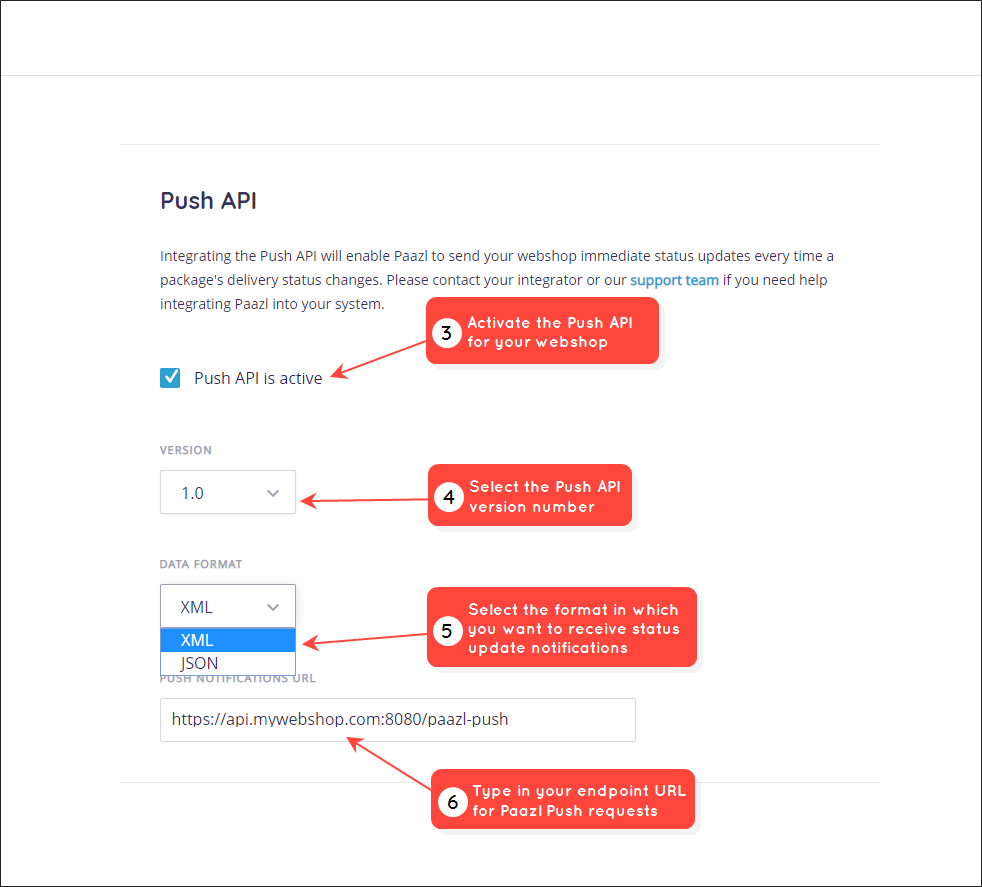
Use the Push API configuration page to tell Paazl:
- Where you want the status updates to be sent
- The format in which you want to receive the updates
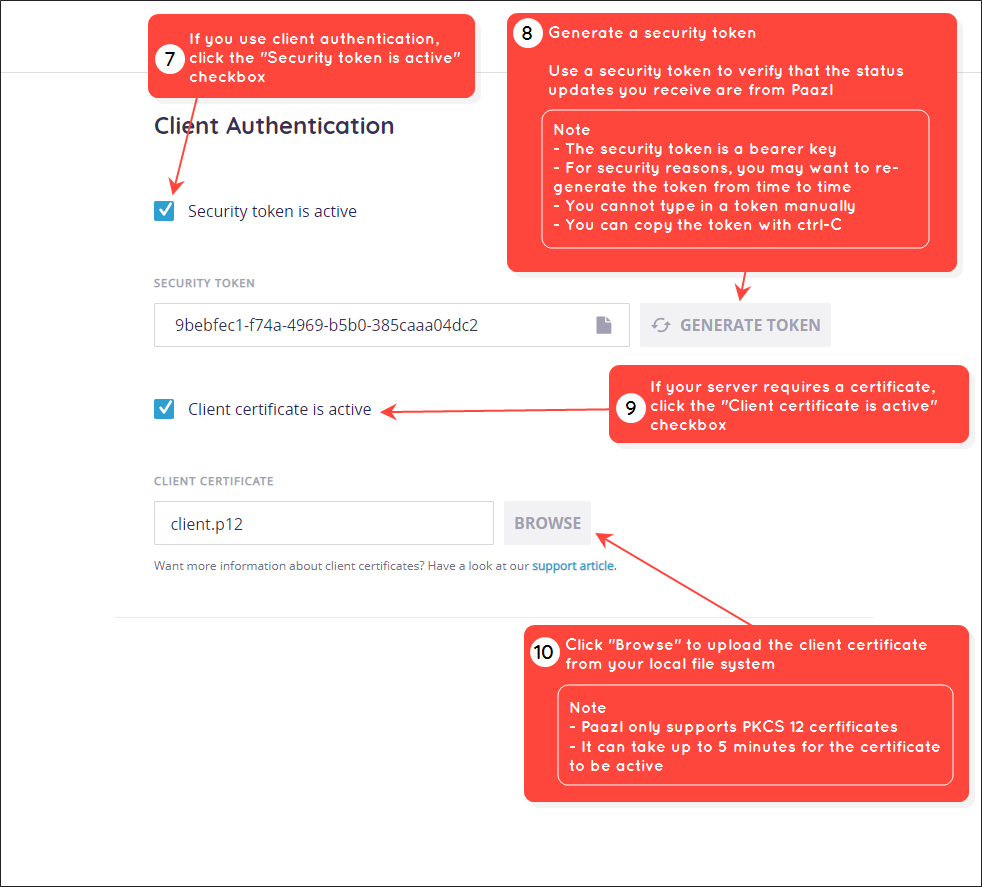
- If you want your information sent securely
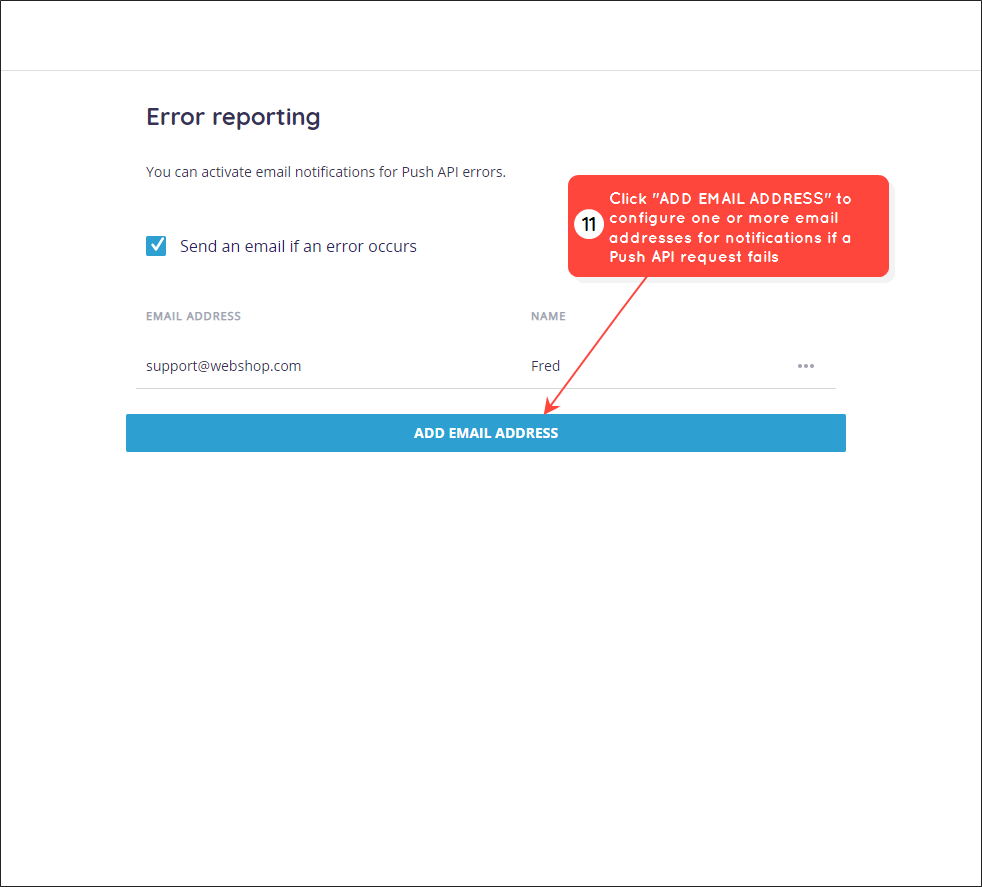
- If you want to be notified of any errors when sending the updates
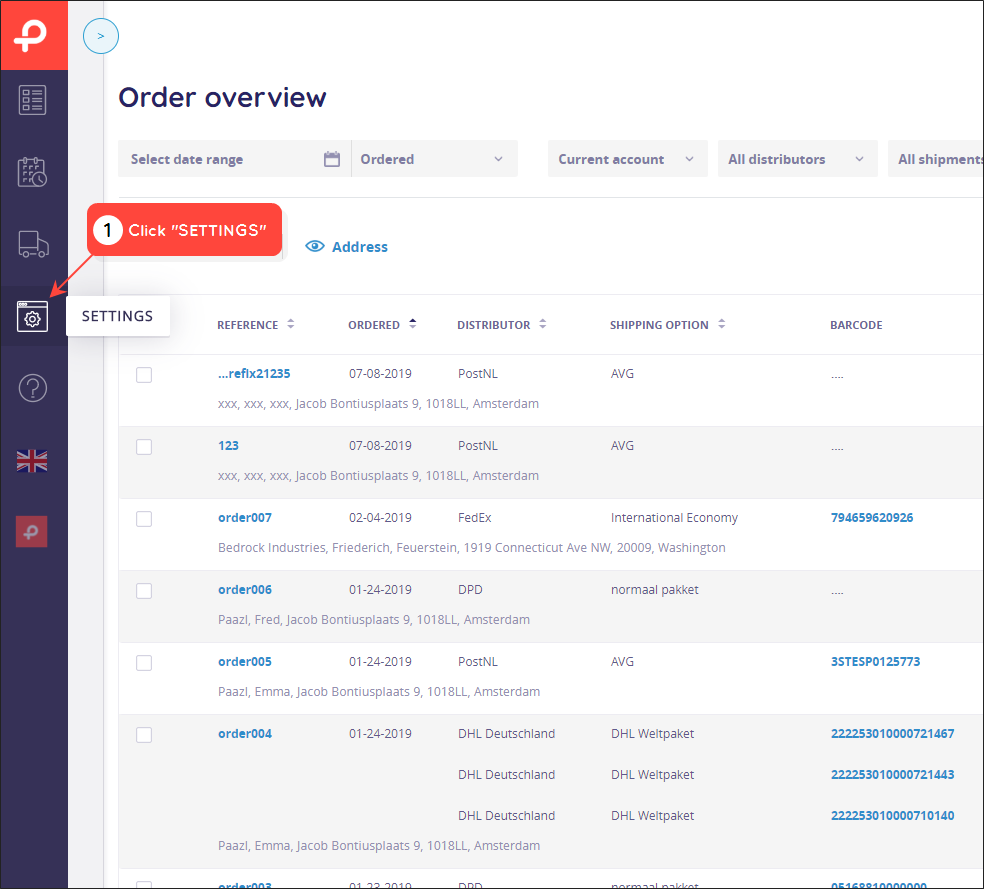
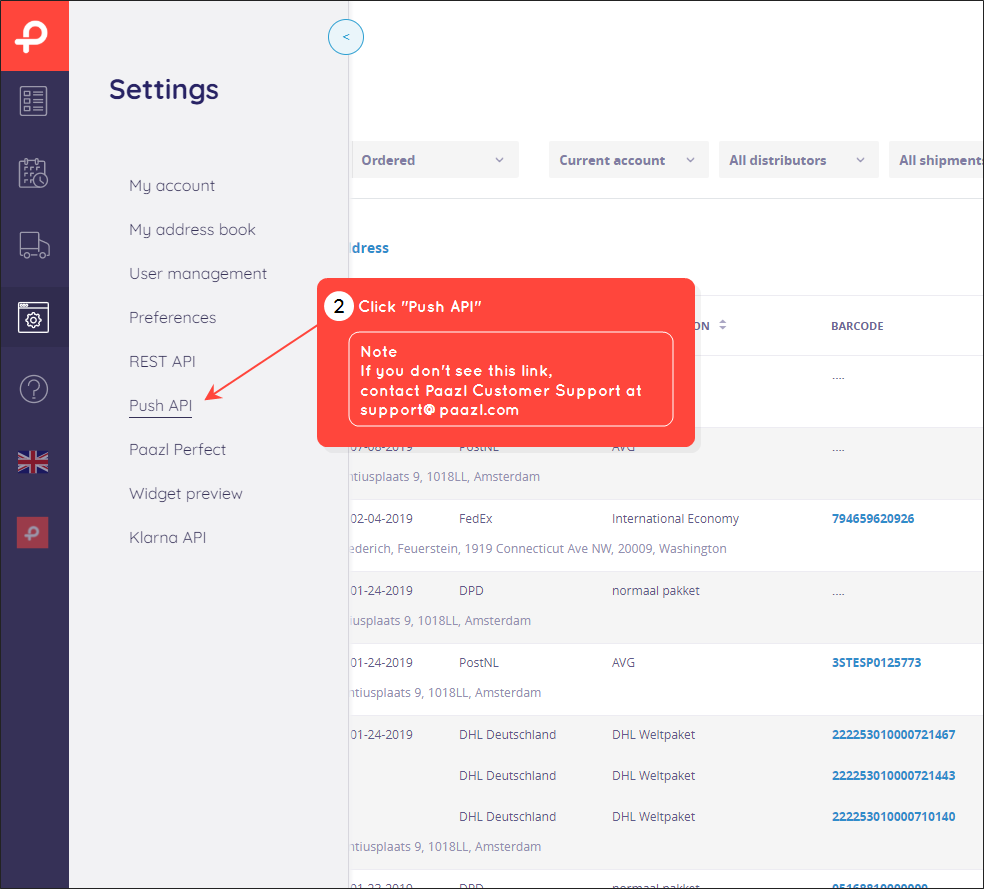
To access the Push API configuration screen, log in to your Paazl web app account and follow the steps below.
Was this article helpful?
That’s Great!
Thank you for your feedback
Sorry! We couldn't be helpful
Thank you for your feedback
Feedback sent
We appreciate your effort and will try to fix the article