
This article explains how to set up Track & Trace notifications for your customers, so they stay informed about the status of their deliveries. Your webshop can proactively send notifications via email, SMS, or both. This way, customers don't need to visit the carrier's website to check the location of their packages.
Notifications are triggered at different stages of the delivery process, from the moment the shipping label is printed in your warehouse until the parcel is delivered to your customer's address. See About Paazl delivery status codes for more information about the different delivery stages in this process.
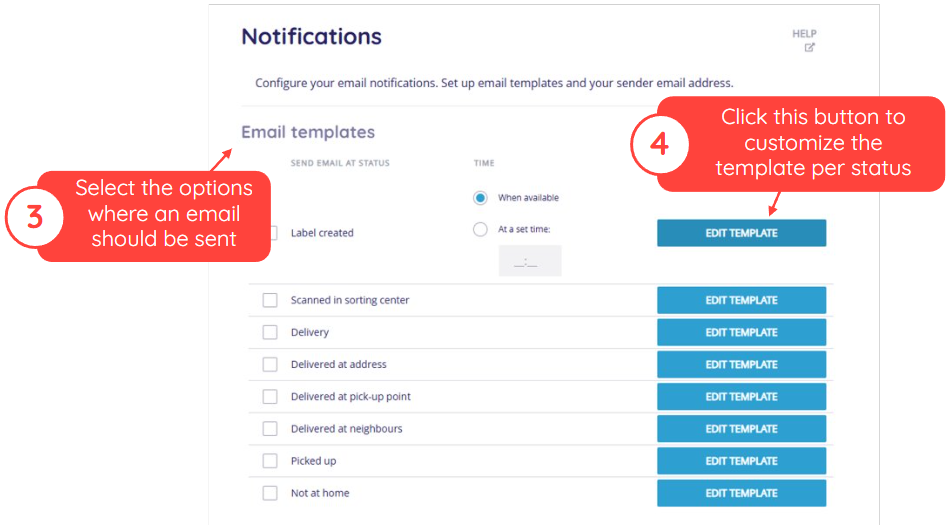
The Paazl web app provides a full-featured HTML editor that allows you to customize email templates for the notifications.
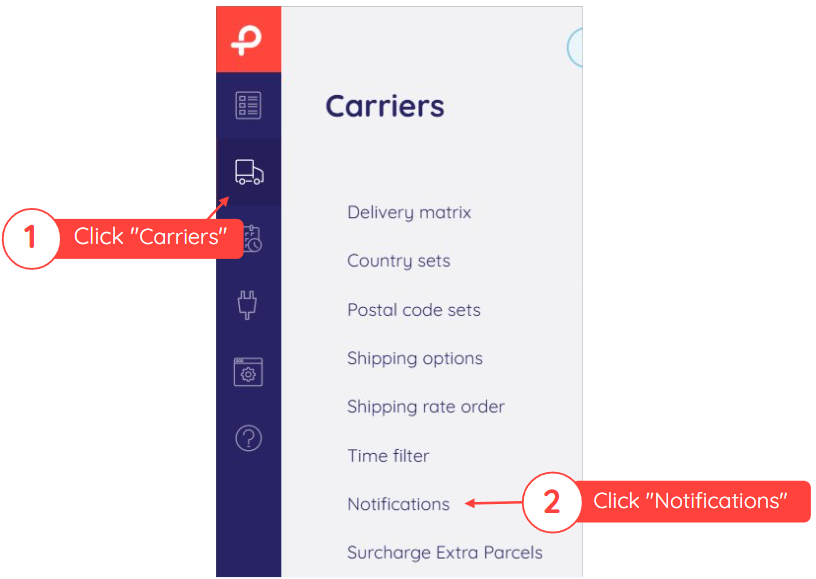
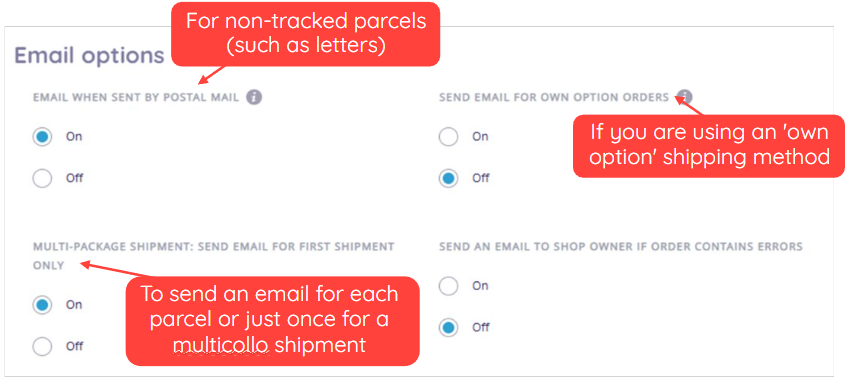
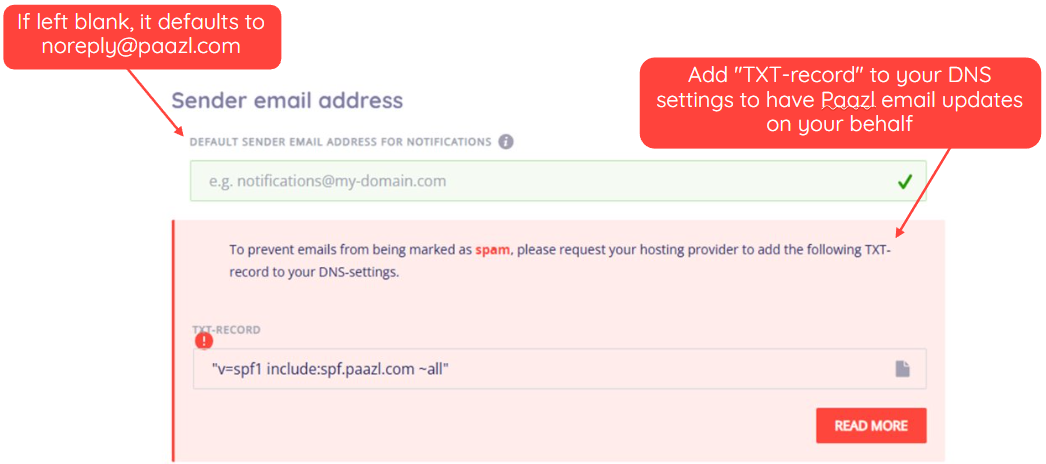
To configure the frequency of Track & Trace notifications in Paazl, log into the web app and follow the steps below.
Was this article helpful?
That’s Great!
Thank you for your feedback
Sorry! We couldn't be helpful
Thank you for your feedback
Feedback sent
We appreciate your effort and will try to fix the article