
This article explains how to delete webshop orders from your Paazl account.
Note
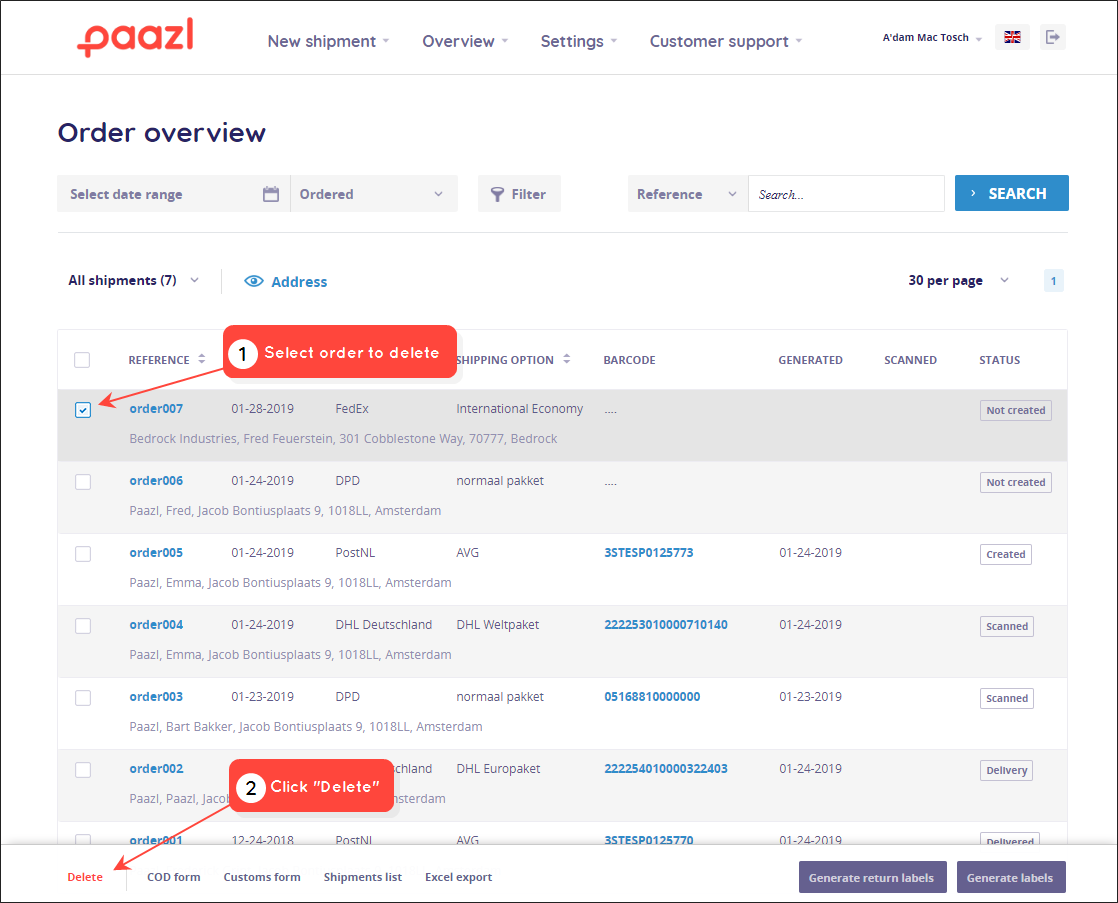
Once an order label has been scanned, you will no longer be able to delete it. This means that you cannot delete orders with the following statuses: "Scanned", "Delivery", "Delivered", "Not at home".
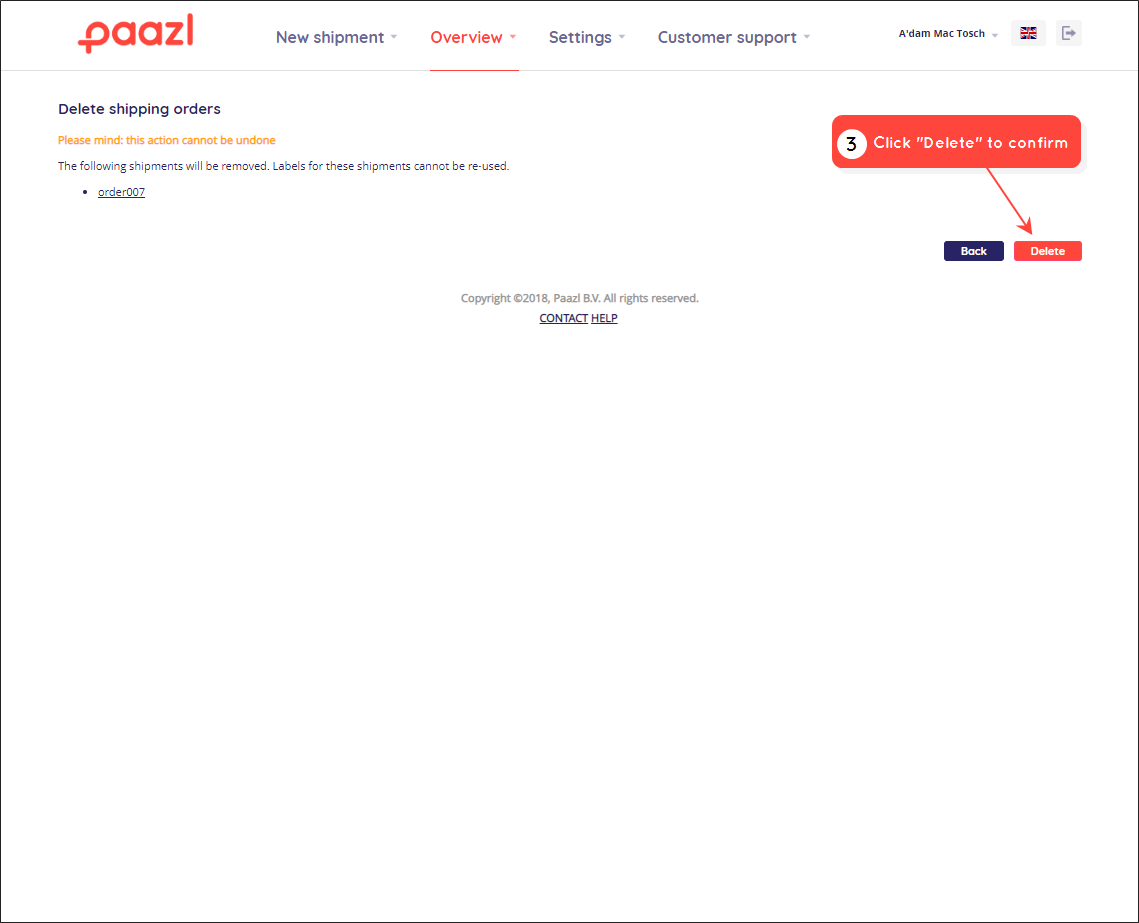
To delete an order, log into your Paazl web app account and follow the steps below.
Was this article helpful?
That’s Great!
Thank you for your feedback
Sorry! We couldn't be helpful
Thank you for your feedback
Feedback sent
We appreciate your effort and will try to fix the article