
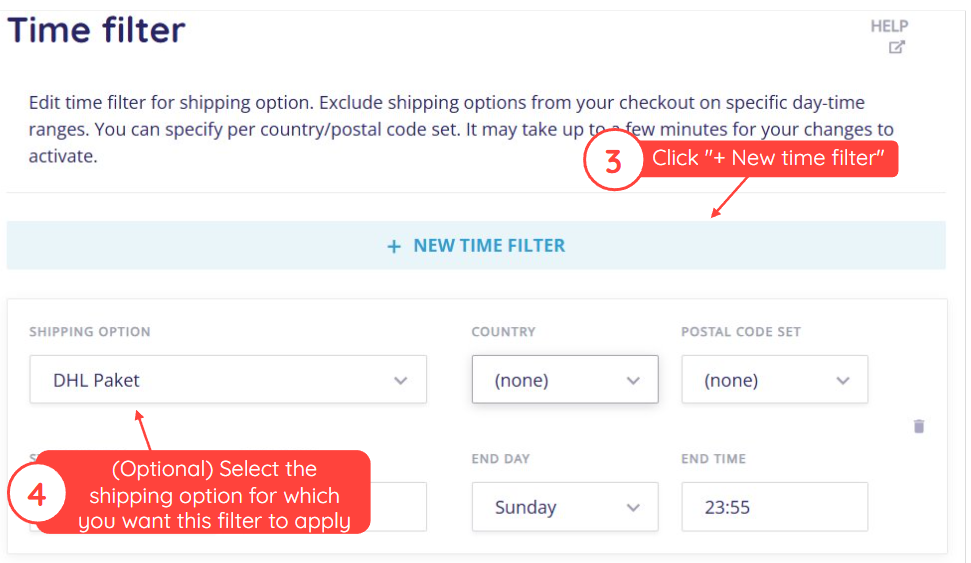
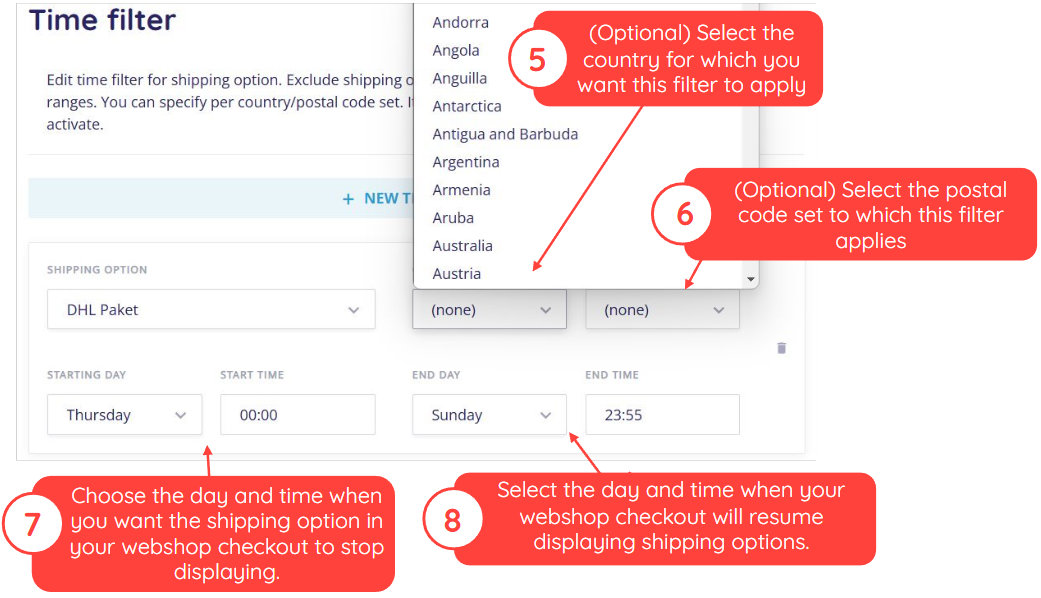
This article explains how to exclude specific shipping options from being displayed in your webshop's checkout during certain periods of the week. Use the settings on this screen to define when a shipping option should not appear.
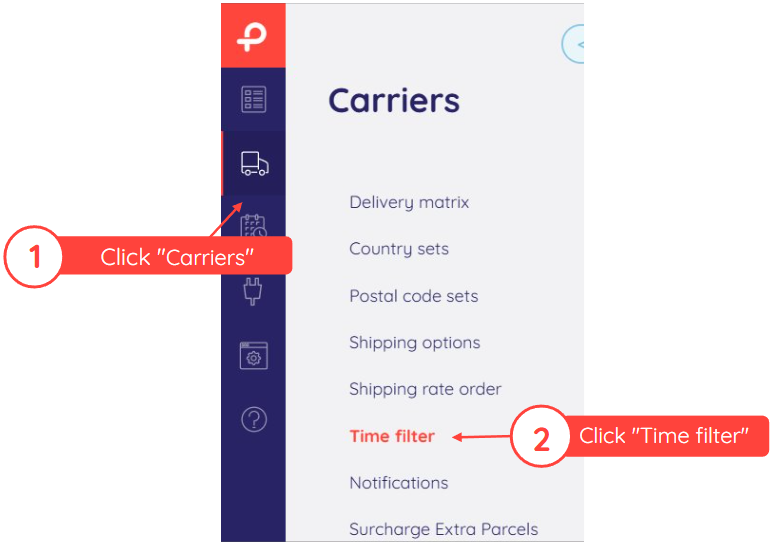
Follow the steps below to set up a time filter.
Note
If you do not set one or more of the required values in the time filter, the filter will disappear from your screen when you click "Save".
Was this article helpful?
That’s Great!
Thank you for your feedback
Sorry! We couldn't be helpful
Thank you for your feedback
Feedback sent
We appreciate your effort and will try to fix the article