
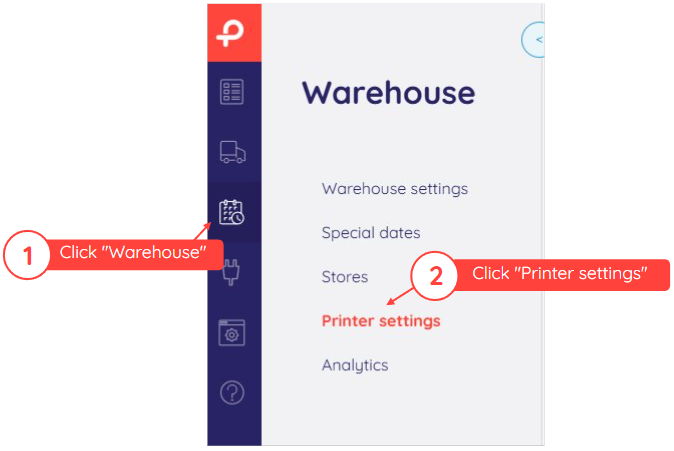
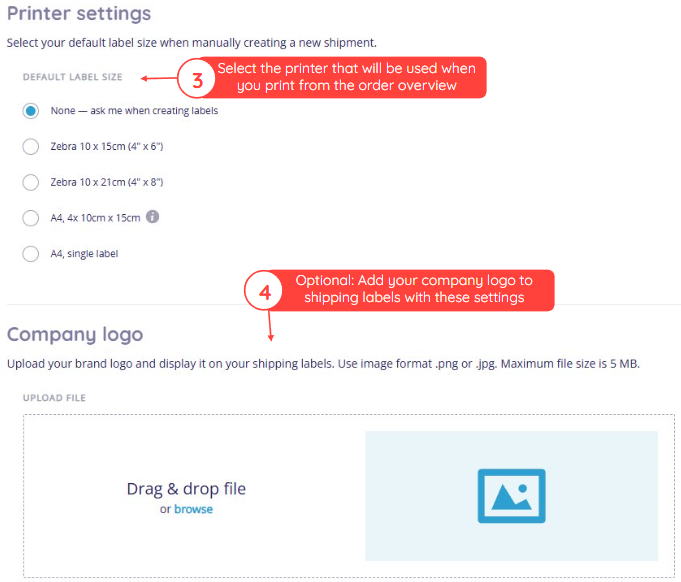
This article explains how to configure your printer settings in your Paazl web app account. To configure your printer settings, log in to your Paazl web app account and follow the steps below.
Note
If you select "None," a printer menu will be displayed when you try to print. This is only the case if you print from your order overview.
Was this article helpful?
That’s Great!
Thank you for your feedback
Sorry! We couldn't be helpful
Thank you for your feedback
Feedback sent
We appreciate your effort and will try to fix the article