
This article explains how to generate API keys, whitelist websites and set up error messaging for Paazl's REST API.
Generating API keys
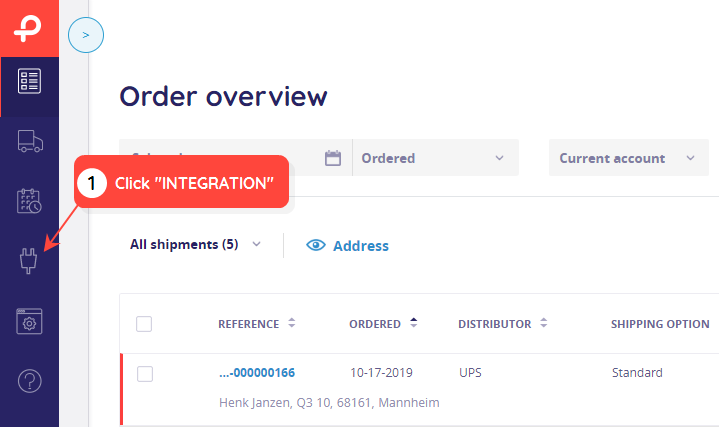
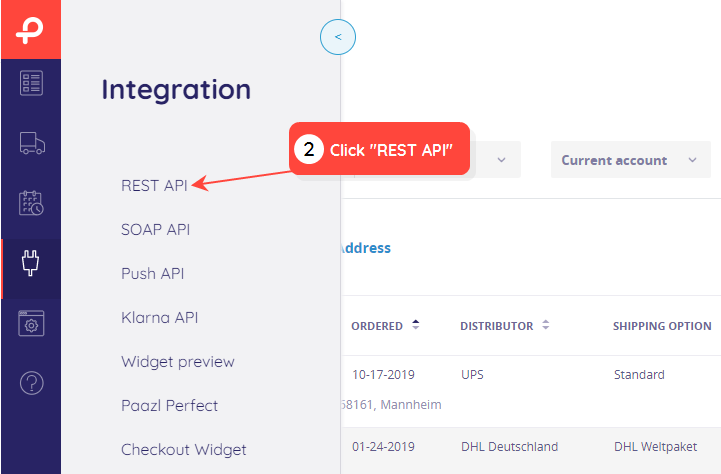
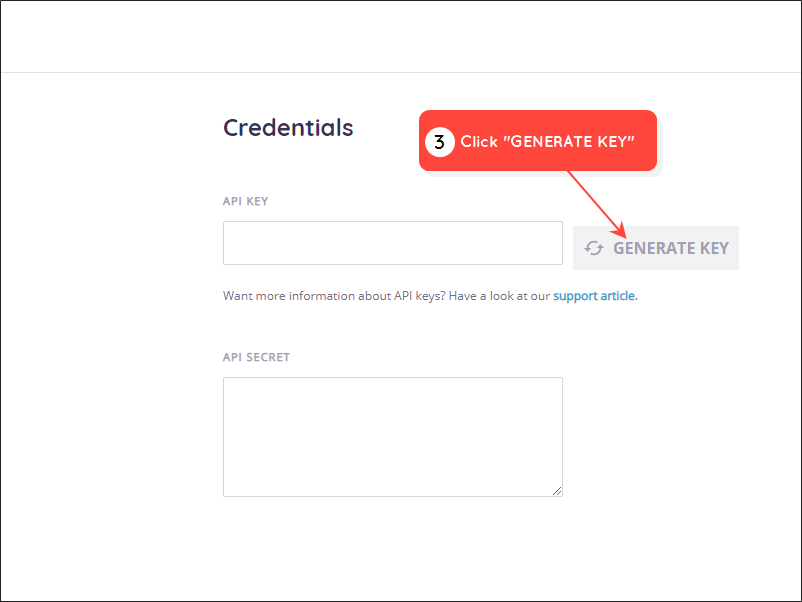
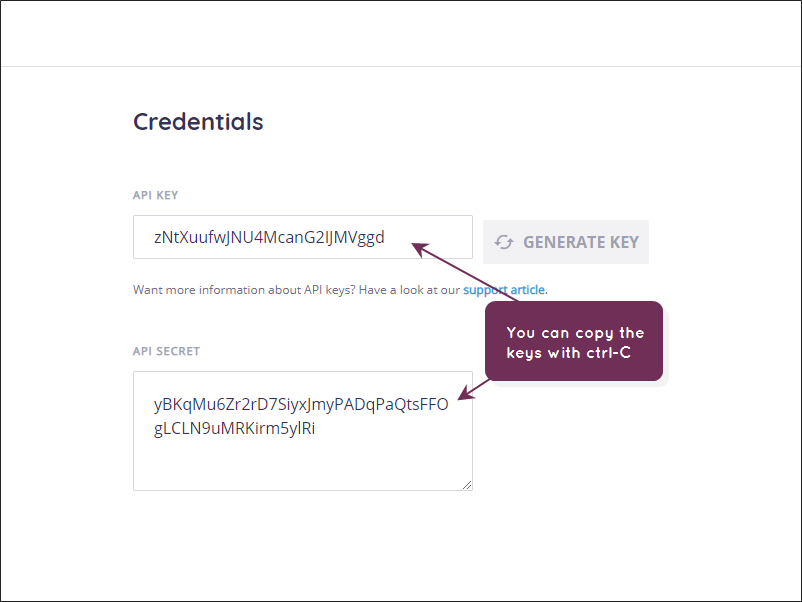
The Paazl web app's REST API configuration screen enables you to generate the public and private API keys that you need to request an access token from the Paazl authentication server.
To generate API keys, follow the steps below.
Note
If you do not see the "REST API" link referred to in step 3 below, contact Paazl Customer Support to activate it for you.
Whitelisting your webshop
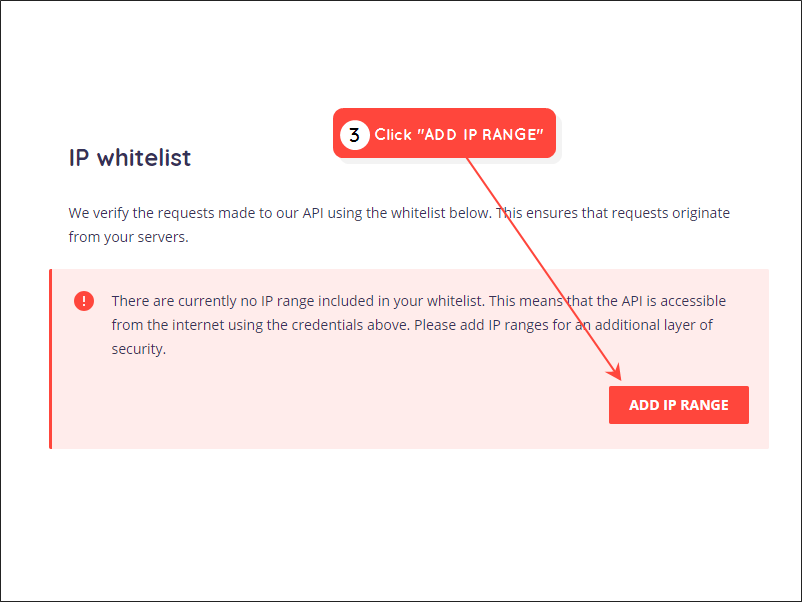
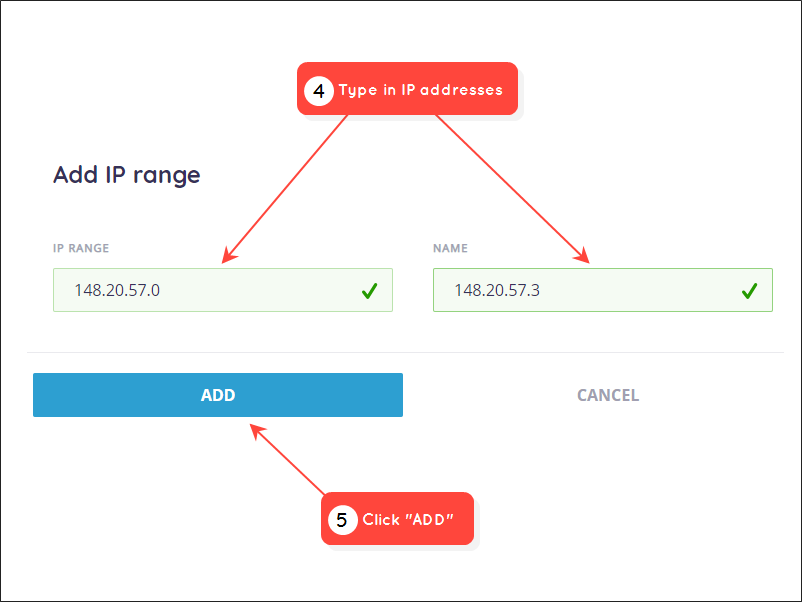
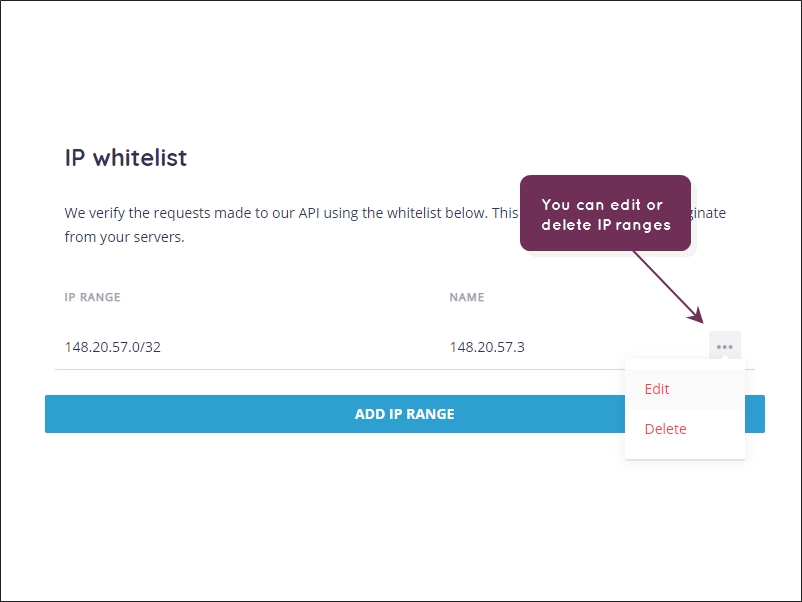
In addition to working with an access token, you can whitelist the IP range of your webshop (and other sites) with Paazl. When you whitelist a site, you tell Paazl that you have explicitly authorized that site to request tokens. If you don't use whitelisting, any IP address can request tokens. We highly recommend that you use whitelisting.
To whitelist an Internet site, log in to the Paazl web app and follow the steps below.
Email address for error notifications
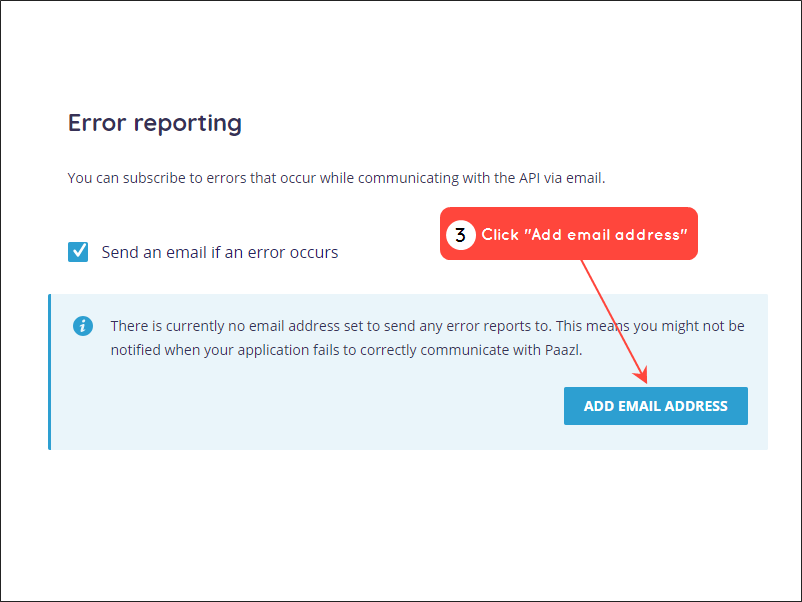
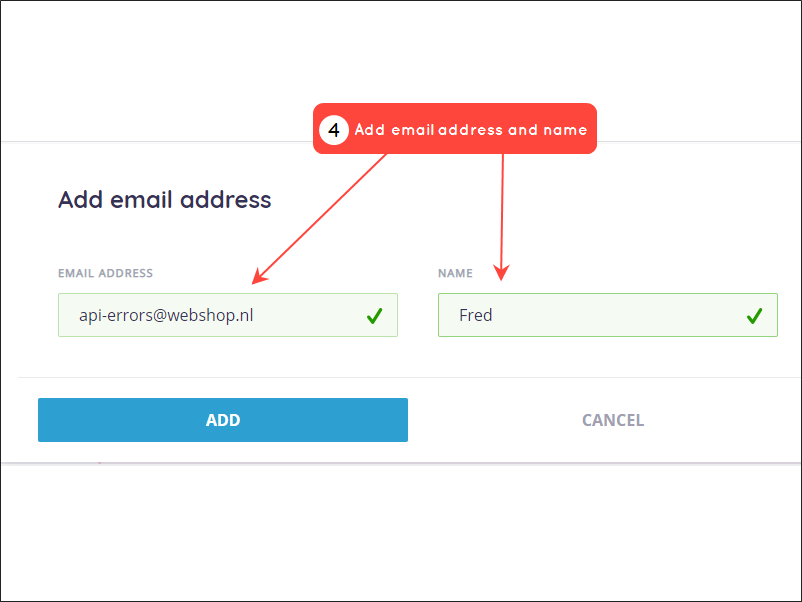
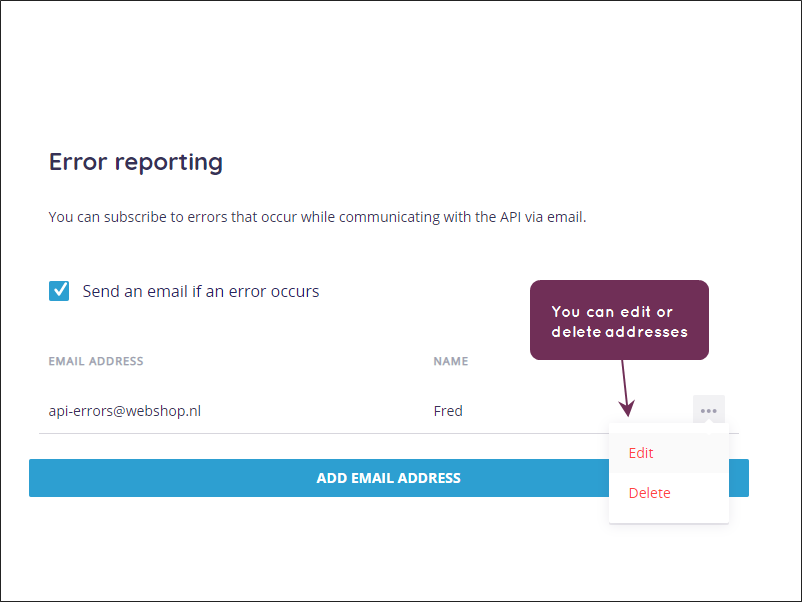
If you want to receive email notifications if something goes wrong when communicating with Paazl's REST API, enable email reporting by following the steps below.
Was this article helpful?
That’s Great!
Thank you for your feedback
Sorry! We couldn't be helpful
Thank you for your feedback
Feedback sent
We appreciate your effort and will try to fix the article